Redesigning a website can feel big, but it does not have to be confusing. You just need a clear, step by step plan that keeps your team focused and avoids surprises. This checklist shows you how to get from your current site to a stronger one that is faster, easier to use, and ready to grow. We will keep the language simple. We will explain what to do and why it matters, so you can share this with stakeholders and move with confidence.
What Is Website Redesign Checklist
A website redesign checklist is a practical list of tasks that guide you through the full process. It starts with measurement and ends with launch and follow up. Think of it as a safety net that reduces risk. It helps you protect your rankings, improve user experience, and make sure the new site supports clear business goals. Below you will find twelve steps you can adapt to your company, timeline, and budget.
Step 1. Collect Current Metrics
Begin with a baseline. Open your analytics and note sessions, unique users, top pages, bounce rate, average engagement time, and conversions. Pull data from the last 3 to 12 months so you can see trends. Export from Google Analytics and Search Console. Save reports for organic keywords, landing pages, and click-through rate. Record page load times and Core Web Vitals. If you track calls or form submissions, log those too. This snapshot lets you judge the redesign on facts, not guesses.
Step 2. Look At Visitors Pain Points
Check what frustrates people today. Read support emails, chat transcripts, and reviews. Watch a few recordings if you use a session tool. Look for slow pages, confusing menus, broken forms, and missing answers. Ask real customers what they tried to do on your site and where they got stuck. Tag each pain point by page and by severity. These notes will shape the plan and help you avoid repeating old problems.
Step 3. Analyse Internal and External Links
List your important internal links. Do key pages connect to each other in a simple path? Are there orphan pages that no one can find? Next, review external links. Use Search Console and a crawler to find backlinks to your current URLs. During the redesign, you will need to redirect old URLs to new ones. Keep a redirect map in a spreadsheet, with every source and target. Clean linking protects your authority and helps users move smoothly.
Step 4. Review Branding Guidelines
Gather your brand assets. Logo files, color palette, type choices, voice and tone, photo rules, and any design system parts you already use. If rules are missing or confusing, fix them now. Consistent branding builds trust. It also speeds up design because your team does not debate the basics on every page. Keep a short guide handy for writers and editors so voice stays clear and friendly across the site.
Step 5. Set New Goals
Decide what success looks like for the new site. Examples: more qualified leads, higher online sales, more bookings, more newsletter signups, or better self serve support. Turn each goal into a metric and a target. For example: increase form completions by 30 percent in 90 days. Tie each goal to key pages and calls to action. If goals are fuzzy, scope will drift and costs will rise. Clear goals keep choices simple.
Step 6. Reconsider And Update Website Strategy
With goals in hand, update your strategy. Choose the right platform, structure, and content plan for the next year of growth. Decide which pages matter most and what each page needs to do. Outline copy themes, proof points, and the actions you want visitors to take. Plan technical SEO basics like clean URLs, page titles, meta descriptions, and structured data. The strategy is a filter for every idea that comes up later.
Step 7. Set Project Timeline
Build a realistic schedule. Break the work into phases: discovery, content, design, development, QA, and launch. Assign owners and due dates. Use short feedback windows, and name a single decision maker to avoid bottlenecks. Include time for content creation since that is often the slowest part. A clear timeline keeps the team aligned and protects the budget.
Step 8. Set Up An Under Maintenance Page
When you move from the old site to the new one, some visitors may arrive during a short window of change. Prepare a simple maintenance page that states what is happening and when you will be back. Add a contact link, a phone number, and links to key profiles like Google Business and social. Keep it light and helpful. If possible, schedule the launch during low traffic hours to reduce impact.
Step 9. Create Fresh Content
Draft clear copy for the pages that drive results. Start with home, top services or categories, contact, and a strong About page that builds trust. Use short paragraphs, plain words, and helpful headings. Answer real questions. Add current photos and short videos that show the product or service. Create FAQs to remove doubts. Plan internal links from each page to the next helpful step. Fresh content is the engine of a good redesign.
Step 10. Complete Design Phase
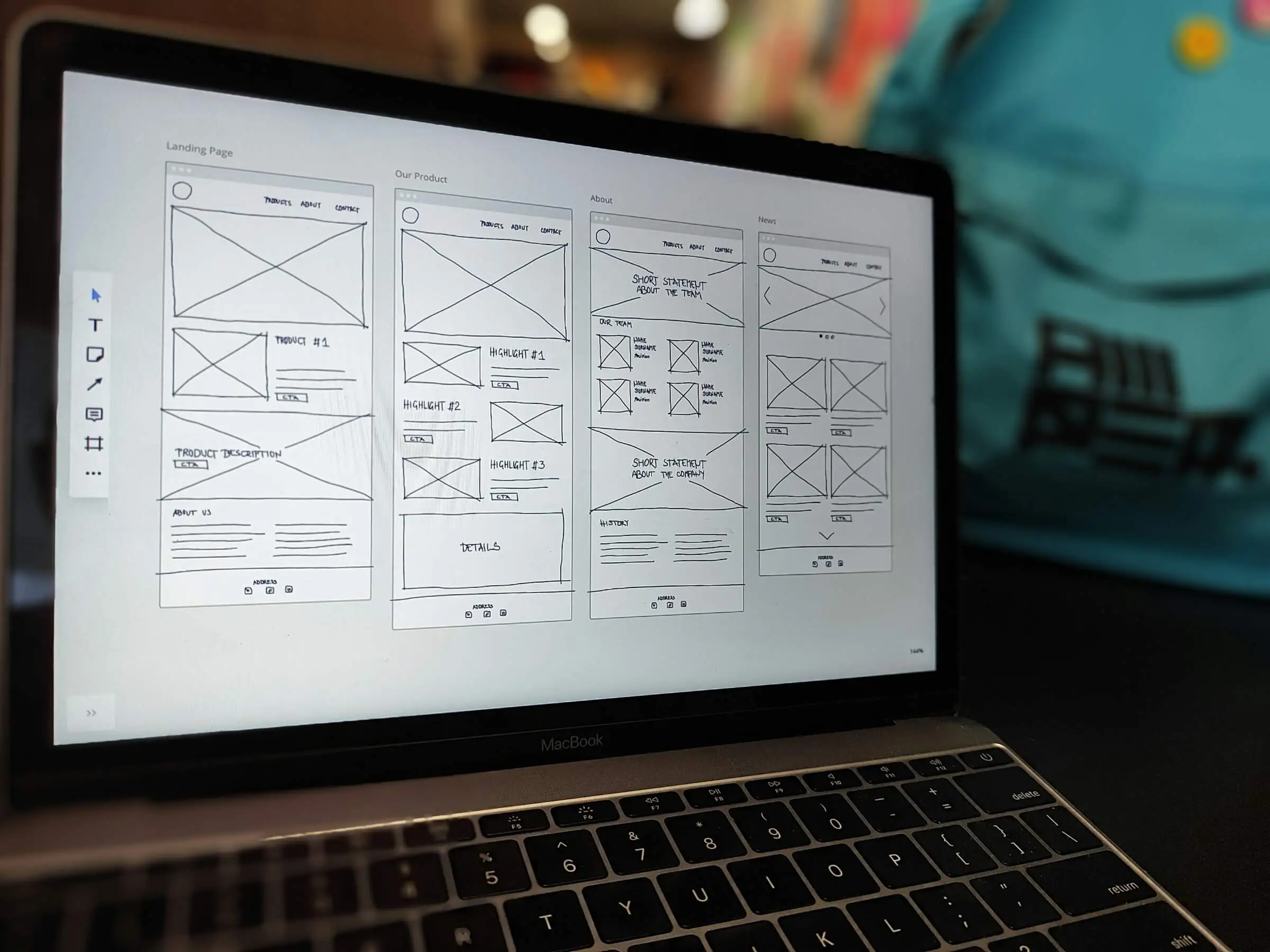
Turn your plan into page designs. Begin with wireframes to agree on layout and hierarchy. Then move to hi fidelity designs that lock in typography, color, spacing, and components. Keep buttons obvious and copy legible. Use contrast to guide the eye. Make sure designs include states for hover, focus, and errors. Design mobile first so small screens work well before you scale up to desktop.
Step 11. Complete Development Phase
Build the site with clean, accessible code. Use semantic HTML, modern CSS, and light JavaScript. Set up content types and fields so editors can update the site without breaking layout. Add forms, booking tools, and any needed integrations like CRM, email, or analytics. Optimize images. Minify and defer scripts that are not needed for first paint. Test on real phones, not just in a simulator.
Step 12. Launch The Redesigned Website
Follow a launch checklist. Point DNS, enable SSL, and verify everything on production. Submit your XML sitemap. Keep robots rules correct. Push 301 redirects live. Check critical paths like checkout, booking, and contact forms. Watch analytics and logs. If you see errors, fix them fast. After launch, review the first week of data and compare it to your baseline.
Redesign Your Website With Silver Horizon Web Design
If you want help with a smooth redesign, our team at Silver Horizon Web Design can guide the full process. We start with your goals, map a clear scope, and keep the work moving. We handle content support, clean UX, fast builds, and careful QA. We also set up analytics and simple dashboards so you can track results. Whether you need a focused update or a full rebuild, we will keep it calm, clear, and on schedule.
Faq’s
Q: How long does a website redesign take?
A focused update can launch in 4 to 6 weeks. A larger rebuild with content and new features can take 8 to 12 weeks or more. Timeline depends on content readiness and feedback speed.
Q: Do I need to keep the same URLs?
Keep URLs that already rank or have links. If you must change them, use 301 redirects and update internal links. This protects traffic and user journeys.
Q: What should I measure before and after the redesign?
Track sessions, conversions, top pages, search queries, and Core Web Vitals. Compare 30, 60, and 90 day periods to see real gains.
Q: How do I keep the site fast?
Compress images, limit scripts, use caching, and test on real devices. Treat performance as a feature, not an afterthought.
Q: Which platform should I use?
Pick a platform that fits your content and your team. WordPress works well for content heavy sites. Shopify is strong for ecommerce. Squarespace is fine for simple sites.
Q: Do I need new content for a redesign?
In most cases yes. Rewrite the pages that sell or answer key questions. Use fresh visuals. Clear, current content improves conversion and trust.
Q: What about SEO during a redesign?
Plan titles, descriptions, headings, and internal links. Keep or redirect high value URLs. Submit sitemaps and monitor Search Console after launch.
Q: Should I run tests after launch?
Yes. Watch analytics and heatmaps. Try small changes like headline tweaks or a simpler form. Continuous improvement beats one big change every few years.
Q: How do I handle stakeholders?
Choose one decision maker. Set short feedback windows. Share the checklist and the timeline so everyone knows what is coming and when.